Work · Fig. 04
Health OS
A training and nutrition app that installs from the browser to the phone and keeps working with no signal. No account, no app store, no server.
- Type
- Phone app (installs from the browser)
- Built with
- One HTML file, a service worker, on-device storage
- Size
- 684KB, the whole app
- Status
- In use
 1
2
3
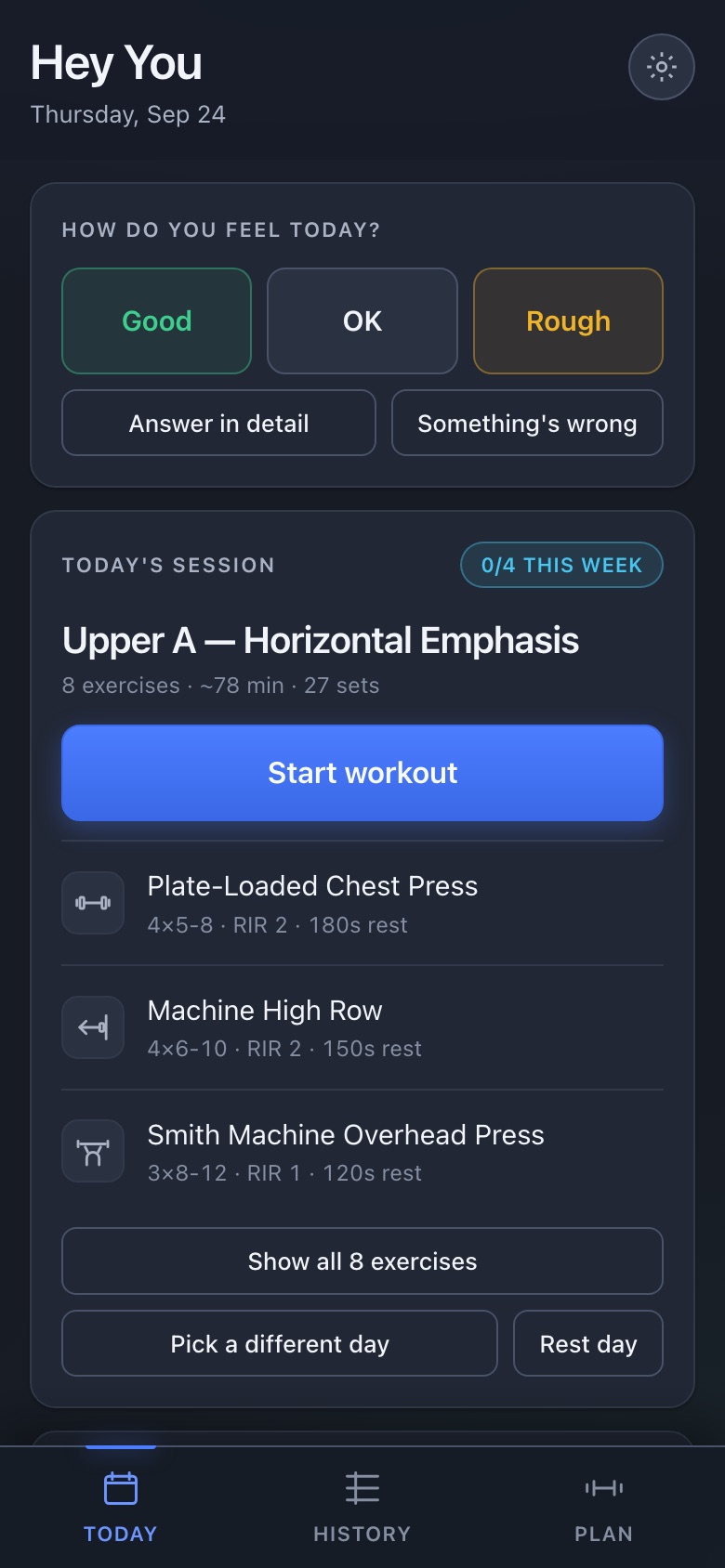
- A daily check-in that changes the day's plan, not just logs a mood.
- Progress for the week sits in the corner of the card, not on a separate screen.
- Installs from the browser to the home screen. No store review, no update queue.
01The problem
Most apps assume a signal and an account. Up here that assumption fails constantly: in the gym basement, on the mountain, on a job site two valleys from the nearest tower. An app that spins when there's no signal is an app that gets abandoned.
02The hard part
Being genuinely offline, not "offline-tolerant." All the data lives on the phone and nothing needs a round trip, so the app opens and works in airplane mode exactly as it does on wifi. It works on a chairlift.
03What we built
- A daily check-in that adjusts the session
- A training planner with sets, rest and weekly progress
- A food log with recipes and repeat entries
- History, and an install that skips the app store
04What it shows about us
This is the demo for any crew working without cell service: a job-site checklist, a daily log or an inspection form that works on the roof, installs in one tap, and never needs an app store update.